
Import from Trakt
Updated September 15, 2026
Trakt exports carry TMDB ids, which makes this the cleanest import there is: one ZIP, no name matching, every show and movie lands where it belongs, with your plays, dates, ratings and watchlist.
What comes over
| In the Trakt ZIP | What becomes of it |
|---|---|
| History (JSON) | One viewing per entry, at that instant. Shows become Watching with per-episode progress; movies become Completed with their play count. |
| Watched (JSON) | The same progress, with one viewing per episode on its last-watched date. |
| Ratings (JSON) | Your rating out of 10 on each movie and show. A rated title counts as seen. |
| Watchlist (JSON) | Watchlist entries, unless the title is already further along. |
CSV with tmdb_id, imdb_id or trakt_id | Read the same way, one row per title or episode. |
Files are recognised by their shape, not their name: the objects the Trakt API returns for history, watched, ratings and watchlist items. Other files in the ZIP (collection, comments, lists, settings) are skipped. Backups made by third-party tools that call the same API look the same and work the same.
Step by step
- Export from Trakt. On trakt.tv: Settings, then Data, then export. Trakt sends one ZIP with your history, watched titles, ratings, watchlist and more as JSON files. Any backup made with the Trakt API works too, and so does a CSV with tmdb_id, imdb_id or trakt_id columns.
- Create your account, or sign in. An account is free: create one, or sign in. Pick your language and timezone during the short setup; air times are shown in that timezone.
- Open the Import page. Settings, then Your data, then "Import from another tracker". Or go straight to imwatchingthis.com/import.
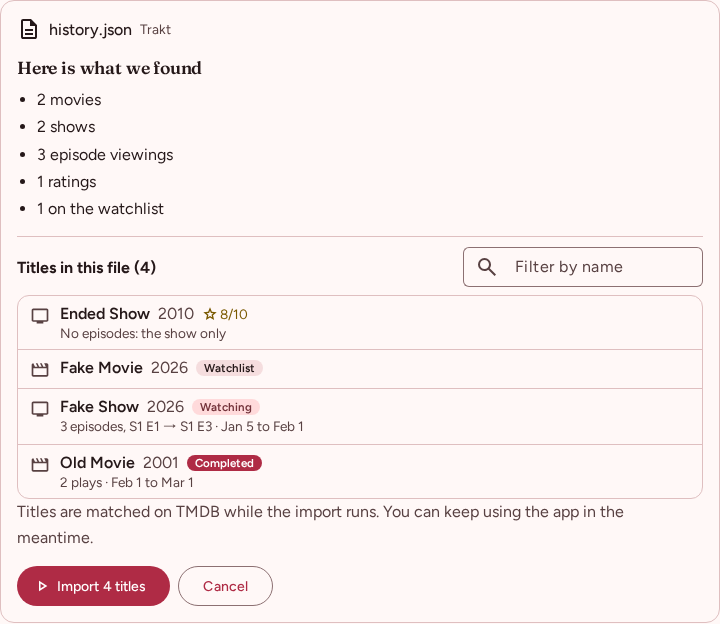
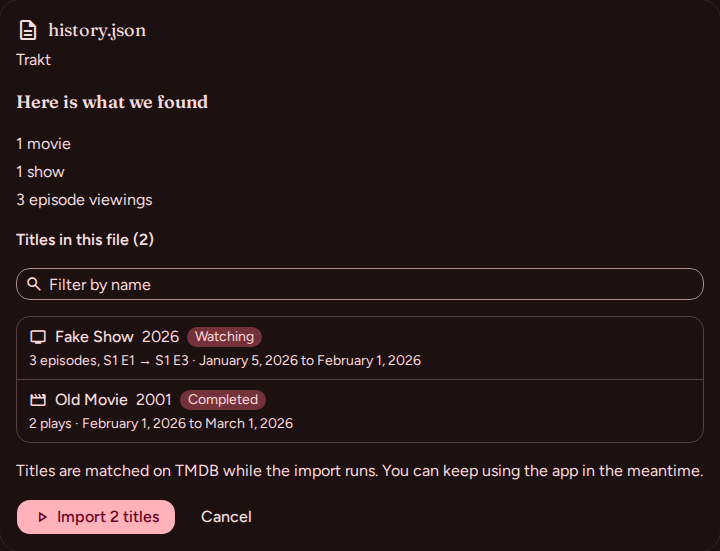
- Choose the ZIP as it is. Every file inside that we recognise is read and merged: history, watched, ratings, watchlist. The page shows what it found: movies, shows, episode viewings, ratings, watchlist entries. Files are recognised by their shape, not their name.
- Start the import. Press "Import N titles". Every Trakt row carries a TMDB id, so titles land exactly; there is nothing to match by name.
- Read the summary. It counts the titles added and updated, the episodes and movies marked watched, and lists the rare title it could not place. Everything is in your library; Up next is ready.
After the import
- Up next shows the next unwatched episode of each show, with its air time in your timezone.
- Calendar lists the week's episodes and the movies on your watchlist by release date.
- Stats counts your viewings and time watched from the imported dates.
- Your data stays yours: Settings, Your data exports everything as JSON or CSV at any time.
Questions
Is it free?
Yes. There is no paid tier and there are no ads.
Do I have to import the files one by one?
No. Upload the ZIP Trakt sent and every file inside that we read (history, watched, ratings, watchlist) is merged in one go. A single JSON file on its own works too, if that is what you have.
Are my plays and dates kept?
Yes. Each history entry becomes one viewing at that instant, and a movie watched several times keeps its count. Watched-only files give one viewing per episode on the last-watched date.
What about my Trakt rating scale?
Trakt rates out of 10 and so do we, so ratings come over as they are. A rated episode does not rate its show.
What if I import the same file twice?
Nothing changes the second time. An import only adds: it does not remove a title, lower a status or replace a rating you gave.
Do lists, collections and comments come over?
No. Only history, watched progress, ratings and the watchlist are read. Lists can be rebuilt from the Lists page, where a list can hold titles your library does not.
Ready when you are
Free, no ads, in English and French. Bring your history over, or start from one show.